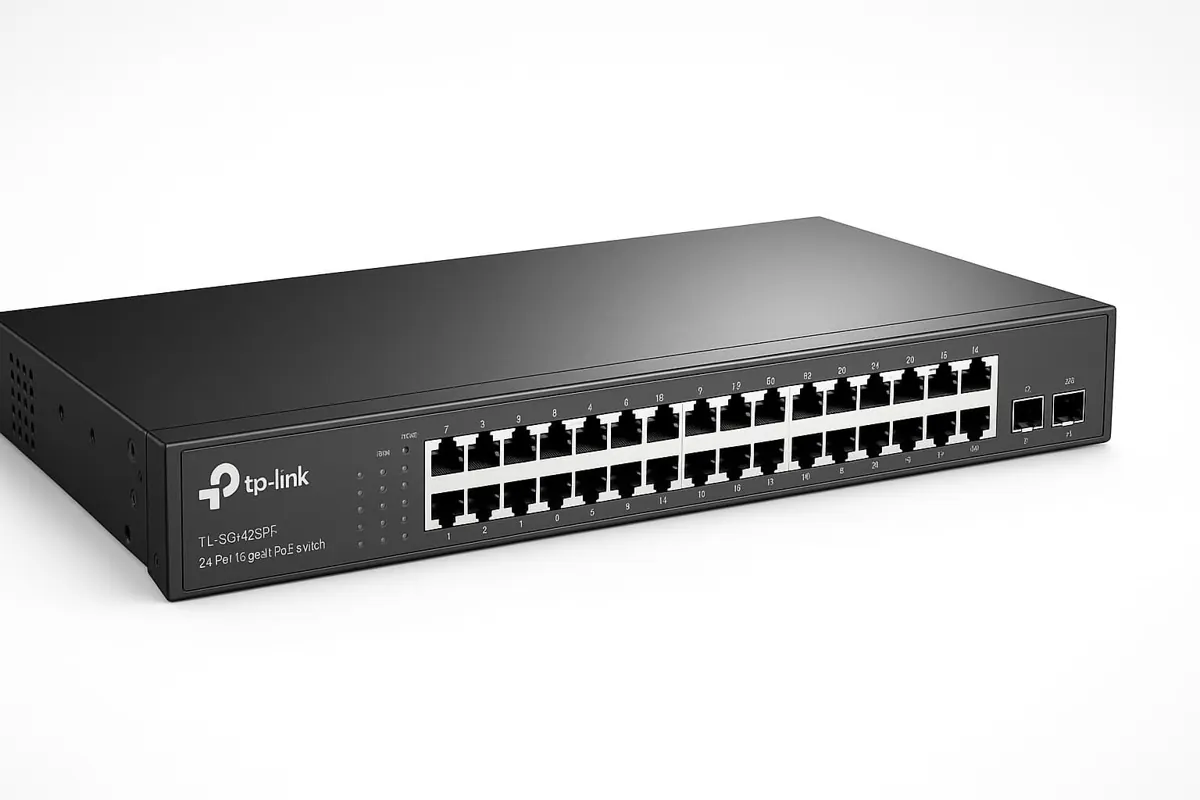
Inventory ports before choosing the switch
A managed switch should make the office easier to maintain, not just faster on paper. For this checkpoint, name the devices, owner, risk, and maintenance step before buying.
Office switches fail quietly when nobody documents the ports. Write down which ports serve phones, access points, printers, cameras, conference rooms, uplinks, and spare desks. Good notes make troubleshooting shorter when the network is under pressure.
Keep the design understandable. A simple VLAN plan, clear labels, and a saved configuration backup are often more valuable than advanced features that nobody is ready to manage.
Calculate PoE budget with headroom
A managed switch should make the office easier to maintain, not just faster on paper. For this checkpoint, name the devices, owner, risk, and maintenance step before buying.
Office switches fail quietly when nobody documents the ports. Write down which ports serve phones, access points, printers, cameras, conference rooms, uplinks, and spare desks. Good notes make troubleshooting shorter when the network is under pressure.
Keep the design understandable. A simple VLAN plan, clear labels, and a saved configuration backup are often more valuable than advanced features that nobody is ready to manage.
Use VLANs for practical separation
A managed switch should make the office easier to maintain, not just faster on paper. For this checkpoint, name the devices, owner, risk, and maintenance step before buying.
Office switches fail quietly when nobody documents the ports. Write down which ports serve phones, access points, printers, cameras, conference rooms, uplinks, and spare desks. Good notes make troubleshooting shorter when the network is under pressure.
Keep the design understandable. A simple VLAN plan, clear labels, and a saved configuration backup are often more valuable than advanced features that nobody is ready to manage.
Plan uplinks and bottlenecks
A managed switch should make the office easier to maintain, not just faster on paper. For this checkpoint, name the devices, owner, risk, and maintenance step before buying.
Office switches fail quietly when nobody documents the ports. Write down which ports serve phones, access points, printers, cameras, conference rooms, uplinks, and spare desks. Good notes make troubleshooting shorter when the network is under pressure.
Keep the design understandable. A simple VLAN plan, clear labels, and a saved configuration backup are often more valuable than advanced features that nobody is ready to manage.
Label cables so fixes are possible
A managed switch should make the office easier to maintain, not just faster on paper. For this checkpoint, name the devices, owner, risk, and maintenance step before buying.
Office switches fail quietly when nobody documents the ports. Write down which ports serve phones, access points, printers, cameras, conference rooms, uplinks, and spare desks. Good notes make troubleshooting shorter when the network is under pressure.
Keep the design understandable. A simple VLAN plan, clear labels, and a saved configuration backup are often more valuable than advanced features that nobody is ready to manage.
Make monitoring readable
A managed switch should make the office easier to maintain, not just faster on paper. For this checkpoint, name the devices, owner, risk, and maintenance step before buying.
Office switches fail quietly when nobody documents the ports. Write down which ports serve phones, access points, printers, cameras, conference rooms, uplinks, and spare desks. Good notes make troubleshooting shorter when the network is under pressure.
Keep the design understandable. A simple VLAN plan, clear labels, and a saved configuration backup are often more valuable than advanced features that nobody is ready to manage.
Keep firmware and backups routine
A managed switch should make the office easier to maintain, not just faster on paper. For this checkpoint, name the devices, owner, risk, and maintenance step before buying.
Office switches fail quietly when nobody documents the ports. Write down which ports serve phones, access points, printers, cameras, conference rooms, uplinks, and spare desks. Good notes make troubleshooting shorter when the network is under pressure.
Keep the design understandable. A simple VLAN plan, clear labels, and a saved configuration backup are often more valuable than advanced features that nobody is ready to manage.
Leave space for airflow and service
A managed switch should make the office easier to maintain, not just faster on paper. For this checkpoint, name the devices, owner, risk, and maintenance step before buying.
Office switches fail quietly when nobody documents the ports. Write down which ports serve phones, access points, printers, cameras, conference rooms, uplinks, and spare desks. Good notes make troubleshooting shorter when the network is under pressure.
Keep the design understandable. A simple VLAN plan, clear labels, and a saved configuration backup are often more valuable than advanced features that nobody is ready to manage.
Plan for the next office change
A managed switch should make the office easier to maintain, not just faster on paper. For this checkpoint, name the devices, owner, risk, and maintenance step before buying.
Office switches fail quietly when nobody documents the ports. Write down which ports serve phones, access points, printers, cameras, conference rooms, uplinks, and spare desks. Good notes make troubleshooting shorter when the network is under pressure.
Keep the design understandable. A simple VLAN plan, clear labels, and a saved configuration backup are often more valuable than advanced features that nobody is ready to manage.
Compare models after the layout is clear
A managed switch should make the office easier to maintain, not just faster on paper. For this checkpoint, name the devices, owner, risk, and maintenance step before buying.
Office switches fail quietly when nobody documents the ports. Write down which ports serve phones, access points, printers, cameras, conference rooms, uplinks, and spare desks. Good notes make troubleshooting shorter when the network is under pressure.
Keep the design understandable. A simple VLAN plan, clear labels, and a saved configuration backup are often more valuable than advanced features that nobody is ready to manage.
Related reading
Compare product options in the managed switch recommendations, then review the previous support page on enterprise routers for small businesses.
Deep-dive support pages
Focused switch planning notes.PoE Budget for Phones and Cameras
Focused switch planning notes.VLAN Segmentation Basics
Focused switch planning notes.Uplinks and Speed Planning
Focused switch planning notes.Monitoring and Firmware Routine
Focused switch planning notes.Rack Labeling and Cable Hygiene
Focused switch planning notes.